Plugins & reviews
How ToneLumo evaluates plugins
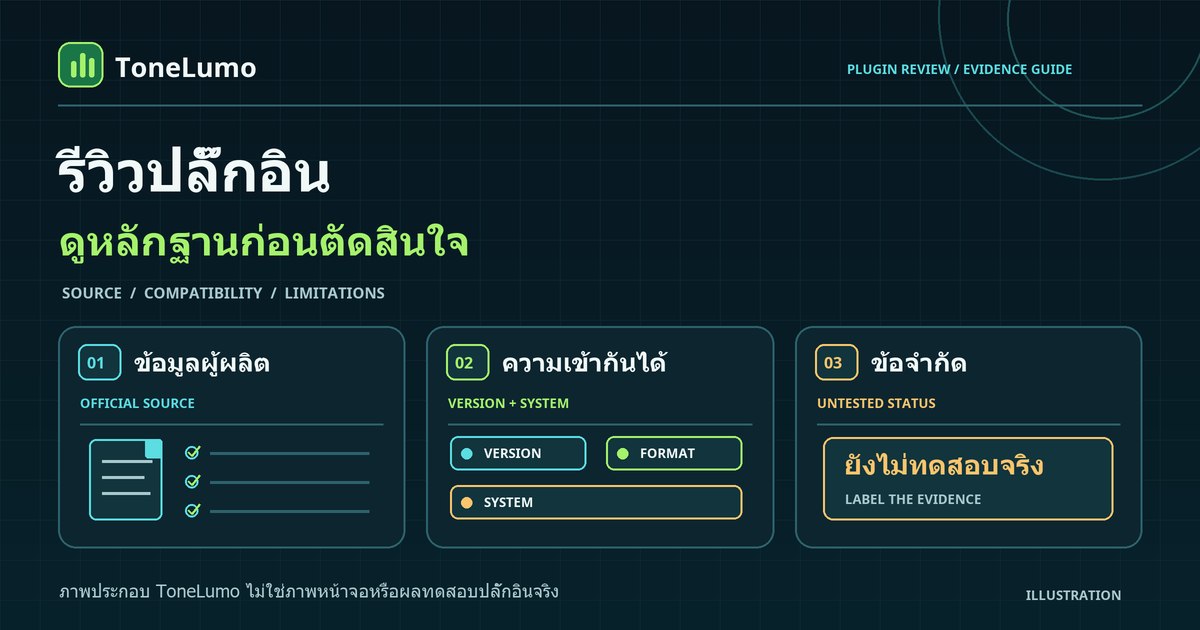
Read a plugin review with its evidence in view: vendor specifications, DAW compatibility documents and any actual test result are different claims. Use this checklist before choosing.
Based on manufacturer documentation. Steps may vary by version.
First identify what kind of evidence a review uses
ToneLumo's plugin articles may guide a choice from developer documentation, summarize specifications, or report a hands-on check. Those are different levels of evidence. A specification review can describe the features, formats and requirements the developer lists; it cannot establish how a plugin sounds, performs or behaves on your computer.
We label the article type and give source links with check dates. Our Surge XT specification review, for example, says its sound and performance were not tested on our machine. This article explains that editorial method and its limits; it is not a new plugin test report.
Start with the job, not the feature count
Name the job: an instrument, effect, or a specific problem to solve. Check whether a device already in the DAW covers it. Then note the DAW and version, operating system, processor type, and plugin format used by existing projects. A brief marketing line saying 'Mac compatible' or 'VST available' is not enough for an installation decision.
Criteria should reflect the work, such as reopening an older project, using a sidechain input, or retaining presets. Separate essential requirements from things you are curious to try. A long feature list is not a meaningful score for every musician.
Cross-check the plugin and host documentation
Read the developer's page, manual and requirements for the edition you intend to use. Compare those with the DAW's supported-format list. For example, the manual marked as written for Surge XT 1.3 lists VST3 and CLAP installation options on Windows, while Ableton Live's documentation lists 64-bit VST3 among its supported formats. Matching the two documents identifies a format worth checking next. It is not evidence that we have loaded Surge XT in Live or successfully tested its sound.
Post-installation steps also vary by host. Image-Line recommends Plugin Manager with Verify plugins to classify effects and instruments. Ableton's Windows guide says to check supported systems and hosts before download and use the developer's installer. We keep three statements separate: 'the vendor lists it,' 'the host supports that format,' and 'it worked on this particular computer.'
What counts as a hands-on test
A claimed test should identify the computer, OS, DAW, plugin version, format and repeatable steps. Use a project copy or audio you have the right to use. Load the plugin, save, close and reopen, then listen to or export the same short passage for the issue being checked. Record successes, warnings and limits without using customer work or personal data as an example.
One machine does not establish support on every system. A plugin appearing in a scan list does not prove that a project reopens with the intended sound. Until those steps are actually done, we say 'not tested.' We do not award sound-quality, CPU or stability scores from vendor specifications alone.
A short checklist before buying or installing
Use these fields to separate documented facts from questions for the developer or tests still to run. Prices, trials and license terms can change, so check the developer's current page before paying. A store link or the word 'free' does not by itself settle every usage right.
If a review gives no version, source or reproducible method for a claimed test, treat it as initial information rather than an assurance that the plugin fits your own setup.
- Job and existing tools: do you need another plugin for this task?
- Edition, DAW version, OS and format: confirm with both the developer and host.
- License, current price and trial: check the developer before deciding.
- Hands-on evidence: record the machine, steps, result and untested cases.
- Purchase or affiliate relationship: look for a clear disclosure; do not infer authorized reseller status.
If you want help choosing or installing
Share the plugin name, DAW and version, operating system and the task you want to do, with an official product link or a redacted warning. We can separate what the manuals establish from what needs checking on your computer. You do not need to send a password, license key or real project file for an initial question.
ToneLumo helps customers choose software, buy through their own accounts, and install it for use within an agreed remote-service scope and price. We do not claim authorized reseller status without written approval. Any genuinely approved affiliate link will be labelled.
Sources and check dates
- Surge XT — User Manual · Checked 2026-11-12
- Ableton — Supported Plug-in Formats · Checked 2026-11-12
- Ableton — Using VST plug-ins on Windows · Checked 2026-11-12
- Image-Line — Installing Plugins · Checked 2026-11-12