BandLab Studio
Make music and record in a browser or on mobile. Start free without installing a desktop DAW.
Best for: Getting started and collaborating
Information checked:
Read details →View official information →TONELUMO / SOFTWARE & SOUNDS
Browse by category, then narrow by task, operating system and cost. Each listing links to an official source.
Showing 32 of 32 tools
Make music and record in a browser or on mobile. Start free without installing a desktop DAW.
Best for: Getting started and collaborating
Information checked:
Read details →View official information →Music production software with timeline arrangement and clip-based performance. Editions and a trial are available.
Best for: Beat production and live performance
Information checked:
Read details →View official information →
Build beats, melodies and mixes in one DAW. Its unlimited-time trial cannot reopen saved projects until purchased.
Best for: Beats and electronic music
Information checked:
Read details →View official information →Apple’s music production app for Mac and iPad. Mac has purchase and subscription options; iPad uses a subscription.
Best for: Mac users producing complete songs
Information checked:
Read details →View official information →Desktop DAW for recording and arranging, with editions for different workflows. Check edition and system requirements before buying.
Best for: Multitrack recording and composition
Information checked:
Read details →View official information →Clip and timeline production with deep sound-design and modulation tools on Windows, Mac and Linux.
Best for: Sound design and clip performance
Information checked:
Read details →View official information →Flexible recording, editing and mixing with a 60-day evaluation; a license is required afterward.
Best for: Recording, mixing and podcasts
Information checked:
Read details →View official information →A free Mac music app for recording, loops and arranging. A straightforward place to start.
Best for: Starting music production on Mac
Information checked:
Read details →View official information →The free entry edition of Pro Tools for recording and mixing, with track and feature limits versus paid editions.
Best for: Trying the Pro Tools workflow
Information checked:
Read details →View official information →
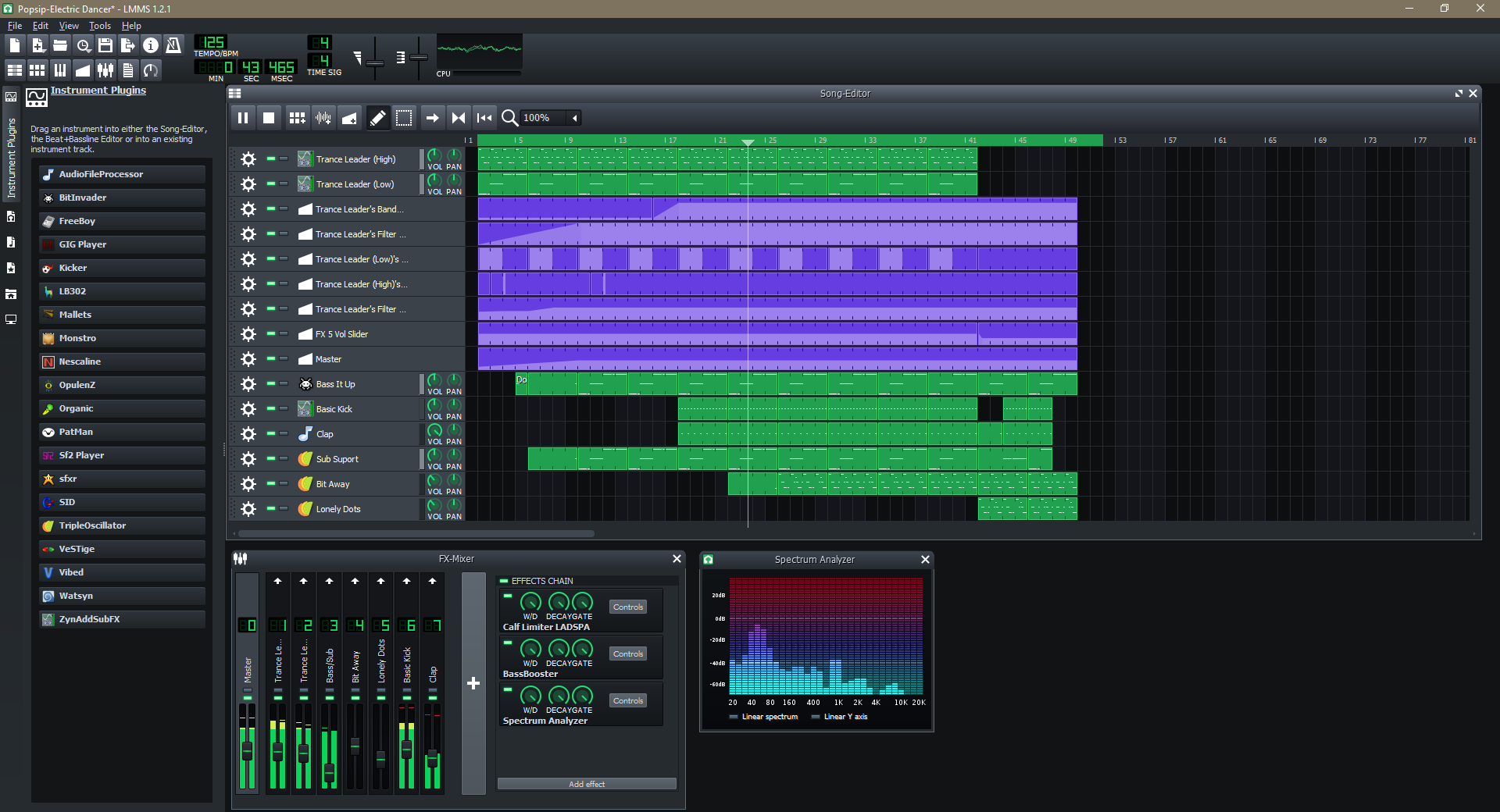
Free open-source software for beats and MIDI composition; it is not suited to multitrack live-audio recording.
Best for: Making beats without buying a DAW
Information checked:
Read details →View official information →Windows DAW with free core features and a paid membership for additional capabilities.
Best for: Windows production with a free core tier
Information checked:
Read details →View official information →The successor to Studio One Pro for recording and production, offered through purchase or membership options.
Best for: Desktop recording and production
Information checked:
Read details →View official information →
Free open-source synthesizer for creating electronic sounds, available as a plugin or standalone app.
Best for: Synth tones and sound design
Information checked:
Read details →View official information →A free entry tier of a wavetable synth for sound design; check the maker’s terms for extra presets and content.
Best for: Modern synth sound design
Information checked:
Read details →View official information →A free dynamic EQ for controlling frequency ranges only when they get too loud, such as harsh vocal moments.
Best for: Vocal control and mixing
Information checked:
Read details →View official information →A free delay and reverb effect for long echoes and spacious textures.
Best for: Adding space and atmosphere
Information checked:
Read details →View official information →A free preset instrument with a selection of keyboard and synth sounds for quick music-making.
Best for: Quick keyboard sounds
Information checked:
Read details →View official information →A free amp and guitar-effects player for shaping guitar tone and experimenting with effects.
Best for: Trying guitar amp and effects tones
Information checked:
Read details →View official information →Native Instruments’ free sample-library player. It only loads libraries licensed for Kontakt Player.
Best for: Using Kontakt Player-compatible libraries
Information checked:
Read details →View official information →A free sample-library player for instruments made for Decent Sampler. Check the library’s version and format first.
Best for: Playing Decent Sampler libraries
Information checked:
Read details →View official information →A collection of effects with free core use and an optional paid upgrade for extra features.
Best for: Trying a range of mixing tools
Information checked:
Read details →View official information →A paid EQ for tone shaping and frequency control in mixing or mastering. Confirm your DAW supports its plugin format.
Best for: Detailed mixing and mastering EQ
Information checked:
Read details →View official information →An introductory library in Komplete Start for the free Kontakt Player; install the player and download the sounds first.
Best for: Trying a variety of instruments
Information checked:
Read details →View official information →A Discover orchestral library free to email subscribers; it requires the free Kontakt Player and a compatible computer.
Best for: Starting orchestral arrangements
Information checked:
Read details →View official information →A Discover orchestral library free to email subscribers, with its own plugin; Kontakt is not required.
Best for: Exploring orchestral music with its own plugin
Information checked:
Read details →View official information →A free tape-coloured piano library that requires Decent Sampler to play.
Best for: Warm piano colours in a track
Information checked:
Read details →View official information →A free bass library for Decent Sampler, useful for sketching bass parts without recording an instrument.
Best for: Sketching bass lines
Information checked:
Read details →View official information →A paid grand-piano library compatible with the specified free Kontakt Player version. Check storage needs before buying.
Best for: Grand piano in a production
Information checked:
Read details →View official information →
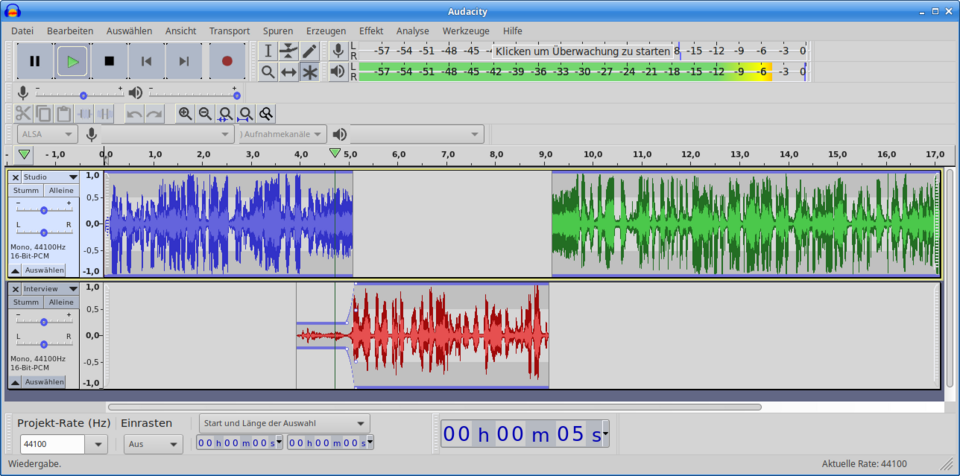
Free recording and audio editing for voice, podcasts and files; it is not a full MIDI production DAW.
Best for: Editing spoken audio and files
Information checked:
Read details →View official information →A multi-brand plugin retailer. Check version, operating system and license terms before buying.
Best for: Comparing plugins from several brands
Information checked:
Visit this website →The maker’s site for virtual instruments, plugins and libraries, with both free and paid products. Check each product’s terms.
Best for: Browsing tools and libraries from the maker
Information checked:
Visit this website →An instrument and studio-equipment retailer. Check shipping, taxes and delivery terms for your country.
Best for: Browsing instruments and studio gear
Information checked:
Visit this website →No tools match these filters. Clear filters or try another search.
Based on official sources. Check current prices, editions, compatibility and license terms before buying. ToneLumo is not an authorized reseller of these brands. Affiliate links will be labelled only if approved. Plugin-format support can vary by operating system; verify the product requirements for your setup.