Tips & setup
Try a DAW before buying: can you save, reopen and export?
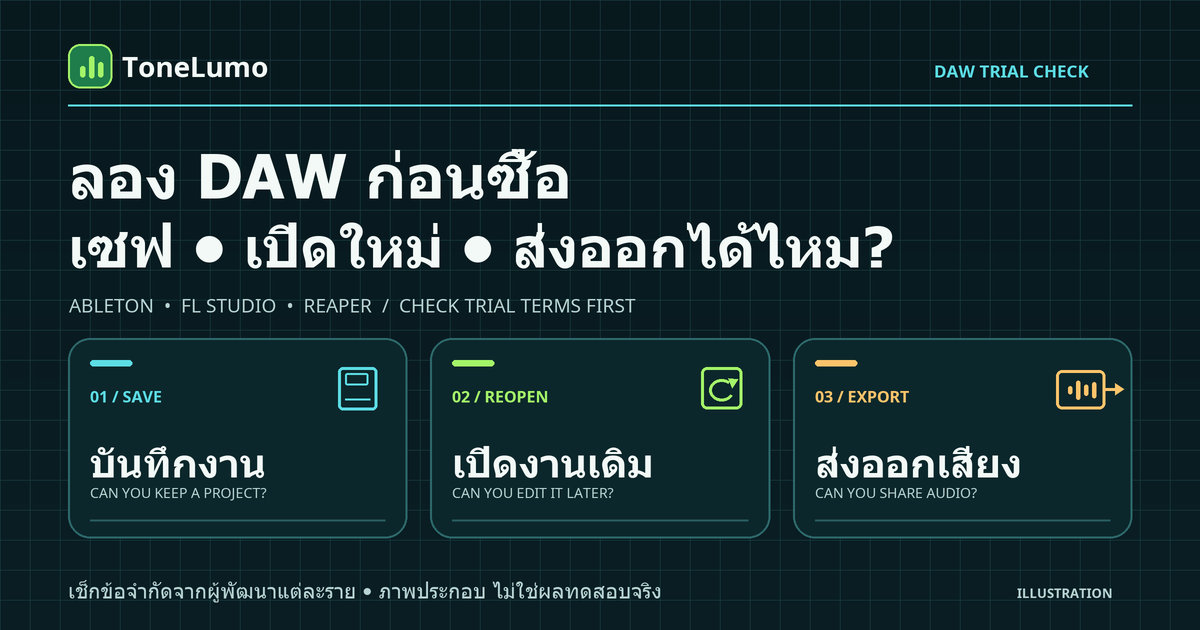
Ableton Live, FL Studio and REAPER trials work differently. Check what you can save, reopen, export and use before committing a real project.
Based on manufacturer documentation. Steps may vary by version.
Short answer: opening the app is only the first test
These three trials have different rules. Ableton Live 12 Suite runs for 30 days and allows saving and exporting during the trial; after expiry, old Sets can still be opened but not saved or exported. FL Studio has no trial time limit and allows saving and exporting, but saved .flp project files cannot be reopened until a paid edition is unlocked. REAPER advertises a fully functional 60-day evaluation.
Before choosing a DAW, try the actions your work actually needs: save, close the program, reopen the project and export an audio file. This guide summarizes publisher information checked on 30 October 2026; ToneLumo has not independently tested these applications.
Ableton Live 12 Trial: save and export within 30 days
Ableton offers a 30-day trial of the full Live 12 Suite feature set. The clock starts when you authorize the Trial with your Ableton account. You can save and export music while the trial is active. After it expires, you can still open Live Sets made in the Trial, but cannot save or export work from it. Save your Set and export anything you need before the trial ends.
If you later buy Live Intro or Standard after trying Suite, check the features used in your existing Set. Ableton says that continuing to use Suite-only devices in a lower edition can disable saving and exporting until the edition mismatch is resolved. Its guidance includes flattening the affected tracks to audio and reauthorizing the purchased edition. The purchased edition needs a separate installation from the Trial.
FL Studio Trial: save and export, but no .flp reopening
Image-Line says the FL Studio trial does not expire and exposes the All Plugins Edition features for evaluation. You can save projects and export audio. Once you close the application, however, a saved .flp cannot be reopened until you unlock a purchased edition. An exported audio file is not a substitute for an editable project.
Check the rights for any work you intend to release. Image-Line's terms limit demo or trial software to personal use and prohibit commercial use of projects, audio or video created with it, including not-for-profit commercial use. Before client work or business publication, verify the licence rights of the edition you purchase.
REAPER Evaluation: a fully functional 60-day window
REAPER's download page describes a free, fully functional 60-day evaluation and says no registration or personal details are required to download it. That is an evaluation period, not a statement that use remains unlicensed after day 60.
If REAPER is on your shortlist, make a small test project during the evaluation. Save it, close and reopen it, then render an audio file on your own computer before committing an important job. The cited download page does not spell out post-evaluation restrictions, so do not infer them from the phrase 'fully functional'.
A practical checklist before purchase or real work
Use a short test recording you have the right to use. There is no need to move client projects or an entire sound library into a trial just to evaluate the workflow.
- Create one project, save it, close the program and try reopening it under the trial's actual rules.
- Export a short audio file and play that file outside the DAW; an audio export is different from an editable project.
- Check that the features, plugins and file formats you used are included in the edition you intend to buy, not just in the Trial or a higher tier.
- Read the work-use terms before releasing music or working for others, especially the personal-use restriction in FL Studio Trial.
Sources and check dates
- Ableton — Try Ableton Live 12 for free · Checked 2026-10-30
- Ableton — Buying Live after using the free Trial · Checked 2026-10-30
- Image-Line — Download FL Studio and trial limitations · Checked 2026-10-30
- Image-Line — Terms of Use, Demo or trial versions · Checked 2026-10-30
- Cockos — Download and Evaluate REAPER for Free · Checked 2026-10-30