Tips & setup
Installing a sample library? Check three storage locations first
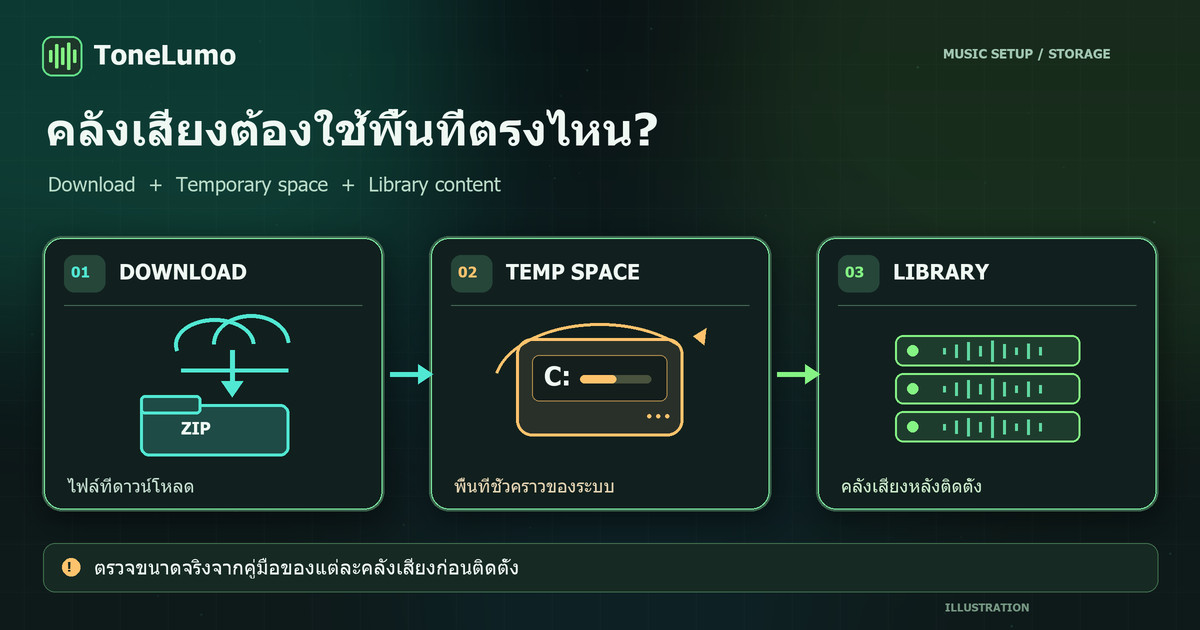
The download size is only part of the plan. Check the installed library size and temporary system-drive space before you start.
Based on manufacturer documentation. Steps may vary by version.
Short answer: there is no single number of GB for every library
Check the requirements for the exact library you want, then look at free space in three places: the download folder, the installed content location and the system drive used for temporary files. A download size need not equal the final installed size, so one fixed multiplier cannot cover every product.
Native Access, for example, may report insufficient space on the system drive even when download and content folders are on an external drive. Installation still needs temporary system-drive space.
Check these three locations before selecting Install
Write down the free space for each drive separately. Adding free-space numbers across drives can hide a shortage on the one an installer must use.
- Download: where the installer files arrive. Check which drive holds this folder and its actual free space.
- Content: where the installed samples will live. Look up the requirement for the particular product and version.
- System drive: temporary working space that the installer and operating system may need, even if the other two locations are external.
In Native Access, separate Download and Content
Native Instruments says Download Location and Content Location should be different folders. Download holds installers; Content holds the library. You can choose an external drive for content, but still leave temporary room on the system drive during installation.
Changing locations in Preferences affects future installs; it does not automatically move a library already installed. For existing content, use the manufacturer's relocation or repair procedure instead of assuming a manual drag will update the app.
What if free space is tight?
Read the current product requirements and manual before assigning drives. The DAW and its extra sounds can have separate storage requirements. Ableton, for example, treats Live and additional Packs or User Library content separately, with documented options for external storage.
If a large Native Access bundle cannot install for lack of space, Native Instruments suggests installing products one at a time instead of using Install All. Do not delete system files or format a drive as a quick fix when you are unsure what the files contain.
Want help planning the installation?
Send us the library name and version, Windows or macOS version, DAW name and free space on the drives you plan to use. We can assess the options and agree on the work and price before a remote installation. An initial enquiry does not need your password or private song files.
Sources and check dates
- Native Instruments — Changing install locations in Native Access · Checked 2026-10-25
- Native Instruments — Not enough free drive space · Checked 2026-10-25
- Ableton — Computer specifications for Live · Checked 2026-10-25